NodeList vs HTMLCollection in JavaScript

When working with the DOM, you’ll often deal with collections of elements instead of just one. Two common types you’ll encounter are NodeList and HTMLCollection.
They look similar at first, but they behave quite differently. Understanding that difference helps avoid subtle bugs.
1. What is a NodeList?
A NodeList is a collection of nodes returned by methods like:
document.querySelectorAll(".para");
suppose your HTML document contains 4 p tags with class = "para".
Output :-
NodeList(4) [p.para, p.para, p.para, p.para]
Key points:
Can contain any type of node (elements, text nodes, comments)
Usually returned by
querySelectorAllCan be static or live (most commonly static)
Example:
const items = document.querySelectorAll(".item");
console.log(items);
If you later add a new .item element to the DOM, this list will NOT update automatically.
2. What is an HTMLCollection?
An HTMLCollection is a collection of only HTML elements.
It is returned by methods like:
// document.getElementsByClassName("item");
document.getElementsByTagName("p");
suppose your HTML document contains 4 p tags with class = "para".
Output :-
HTMLCollection(4) [p.para, p.para, p.para, p.para]
Key points:
Contains only element nodes
Always live
Updates automatically when DOM changes
Example:
const items = document.getElementsByClassName("item");
If you add a new .item element later, it automatically appears in the collection.
3. Live vs Static (Most Important Difference)
NodeList (from querySelectorAll)
Static snapshot
Doesn’t change after creation
HTMLCollection
Live collection
Updates automatically
Example:
const list1 = document.querySelectorAll(".item"); // NodeList
const list2 = document.getElementsByClassName("item"); // HTMLCollection

document.body.innerHTML += '<div class="item">New</div>';

console.log(list1.length); // unchanged
console.log(list2.length); // increased
4. Iteration Differences
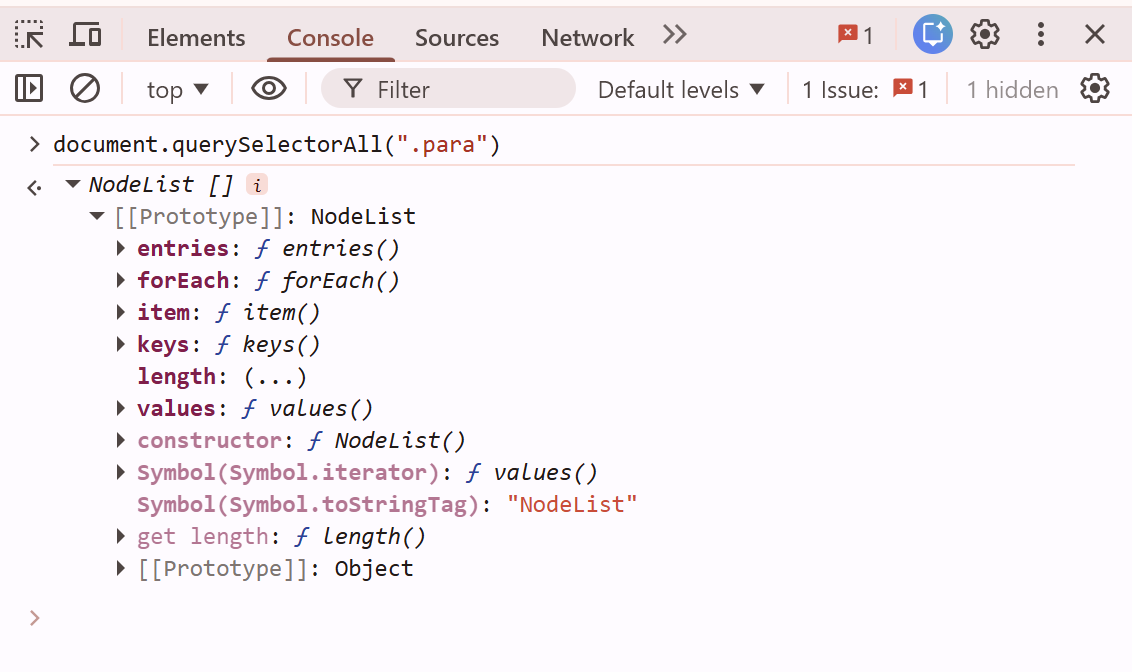
NodeList supports forEach . You can see forEach in its prototype.
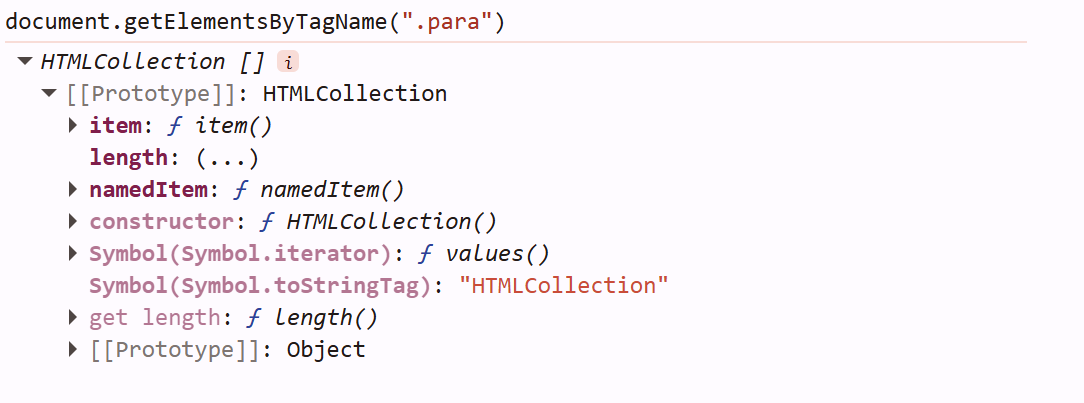
HTMLCollection does NOT support forEach directly. Prototype does not have forEach .
5. Indexing (Same for Both)
Both support index access:
items[0];
items[1];
6. Summary Table
| Feature | NodeList | HTMLCollection |
|---|---|---|
| Contains | Any node | Only elements |
| Live | Sometimes (usually static) | Always live |
| Common source | querySelectorAll |
getElementsBy* |
| forEach support | Yes | No |
| Updates on DOM change | No (static) | Yes |
7. When to Use What?
Use
querySelectorAll(NodeList) when:You want a stable snapshot
You need modern iteration like
forEach
Use HTMLCollection methods when:
- You want automatic updates with DOM changes
Final Insight
Think of it like this:
NodeList = photo (fixed moment)
HTMLCollection = live camera feed
That one mental model clears up most confusion.
About the author
- I write blogs/articles on Software development.
Comments
Join the discussionNo comments yet. Be the first to comment.


